
Favorite Puzzles: jigsaw game
How to play
On PC - Use the cursor and left mouse button to grab and move the puzzle element - Use the mouse wheel to zoom in or out and to scroll through the elements feed On mobile devices - Use your fingers to move elements and scale the screen
About Favorite Puzzles: jigsaw game
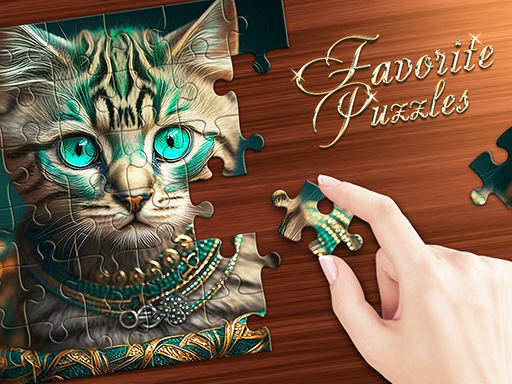
Meet Favorite Puzzles, your new favorite jigsaw puzzles! This addictive puzzle game will delight you with an endless gallery of beautiful images for every taste! Favorite Puzzles will be interesting for kids and adult, in this game you can adjust the difficulty and divide the picture from 6 to 600 elements! To make jigsaw puzzles even more enjoyable and easier - you can always get a hint, include an example and display the grid! Love complexity? Then turn on the Realistic mode and solve jigsaw puzzles from pieces scattered across the field! And you can also create a puzzle from your own picture or photo!
Quick answers
Can I play Favorite Puzzles: jigsaw game for free?
Yes. Favorite Puzzles: jigsaw game is free to play and runs right here in your browser — press the play button on this page. No download or sign-up is needed.
Does Favorite Puzzles: jigsaw game work on mobile?
Yes — Favorite Puzzles: jigsaw game is marked as mobile-friendly and can be played on phones and tablets. Controls vary from game to game, and fullscreen usually gives the best view.
What kind of game is Favorite Puzzles: jigsaw game?
Favorite Puzzles: jigsaw game is a puzzle, board and brain game. Use the tags and related games on this page to find more in the same style.
More games like Favorite Puzzles: jigsaw game

Mario's Friends Toys Jigsaw
Puzzle · Jigsaw
Super Monster Halloween Jigsaw
Puzzle · Boy

Scary Memory
Puzzle · Best Games

Modern City Escape
Puzzle · Escape

Escape The Bombs
Puzzle · Bomb

Disco Tunes
Puzzle · .io Games

Liquid Sorting
Arcade · 1 Player

RUN RICH 3D ONLINE
Girls · 3D

Slots: VIP Deluxe Slot Machines- Free slot Games
Puzzle · .io Games

Samurai Slash 3D
Arcade · Fruit

Escape From Prison
Puzzle · Escape

Brain Training Puzzle - Test You IQ Games
Puzzle · Arkanoid